Aura
In modern dating, users often struggle with visibility and engagement despite being active on multiple platforms. The problem isn’t the algorithms, it’s how users present themselves. Aura was designed to solve that gap.
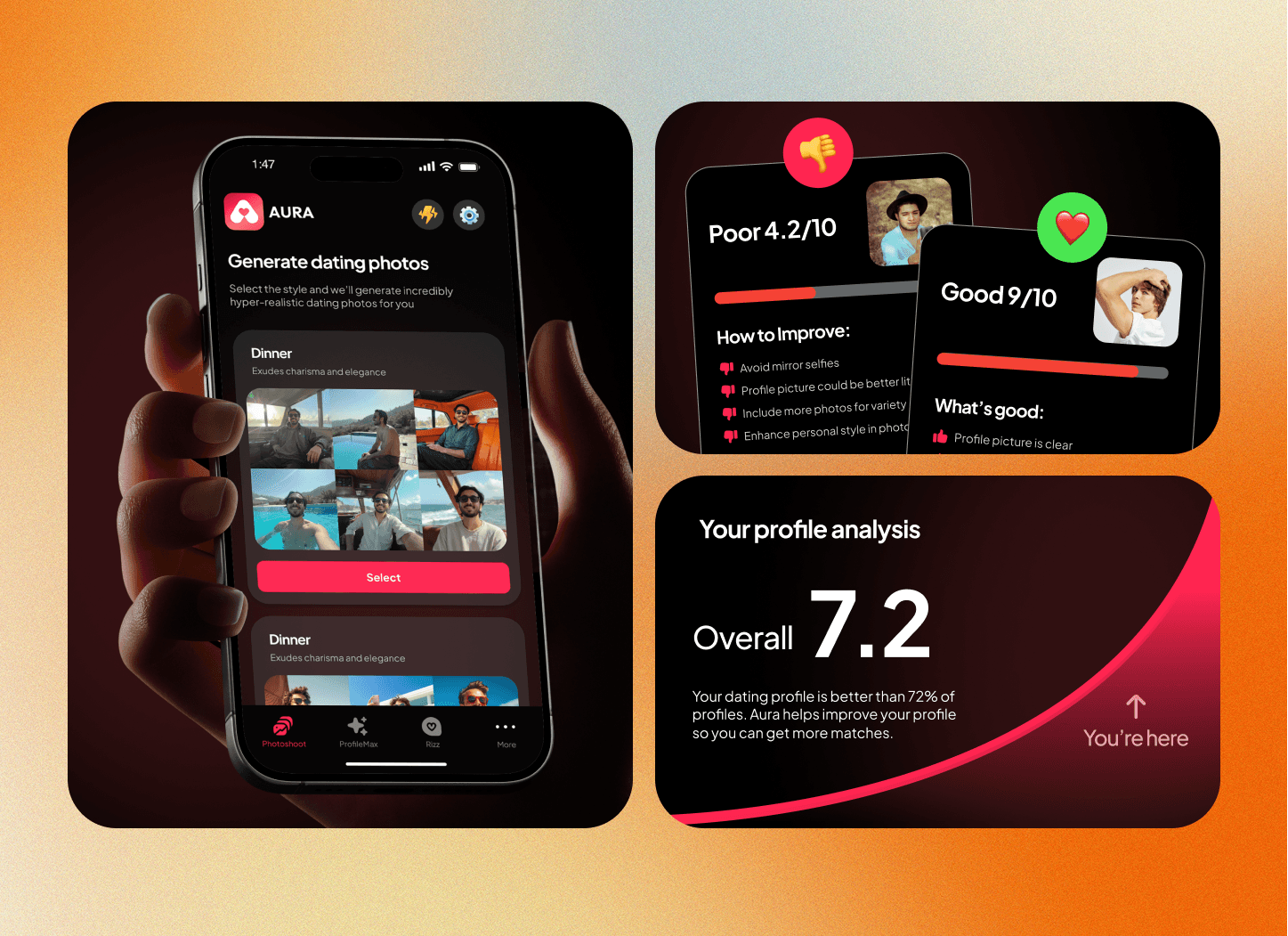
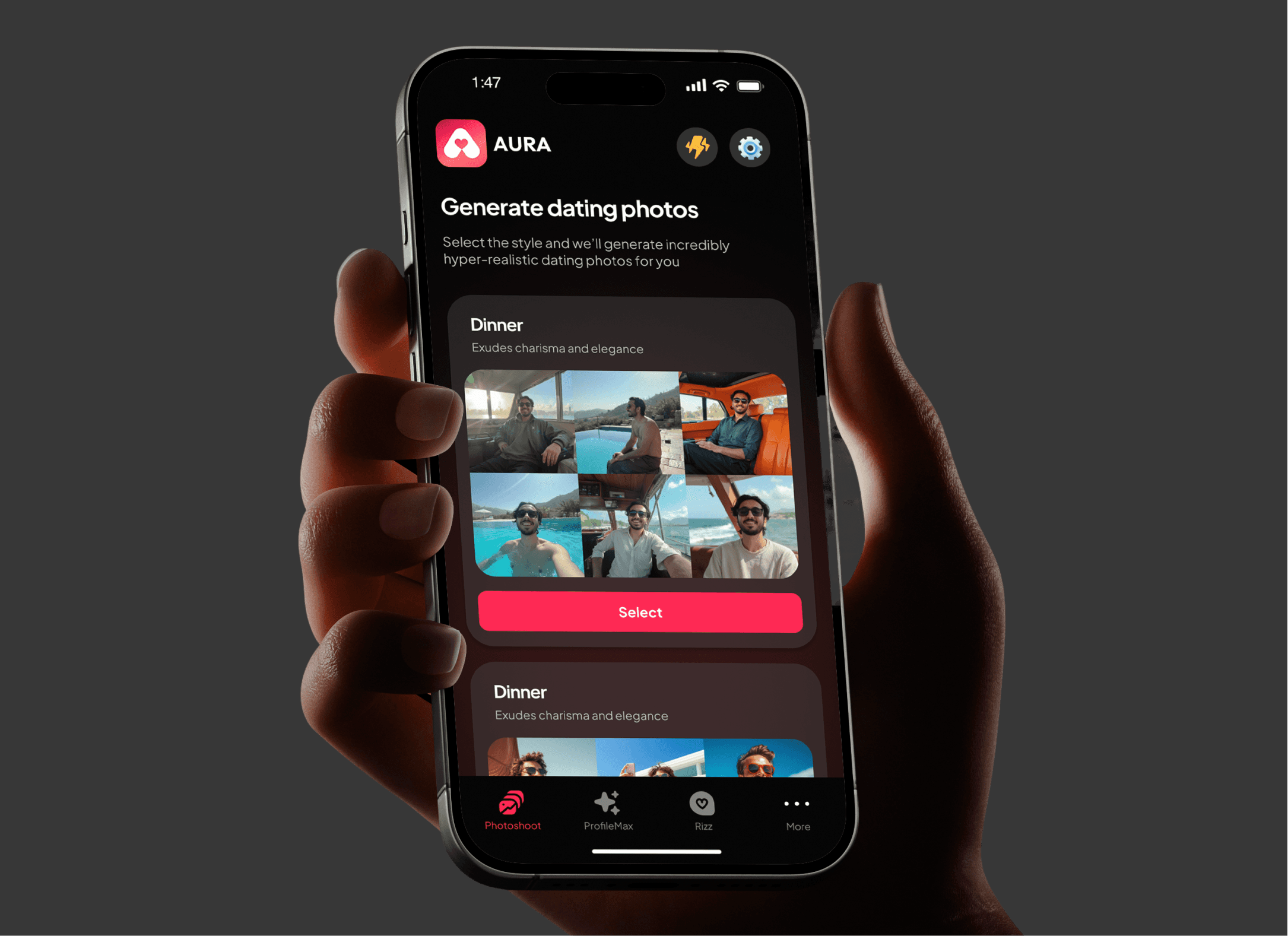
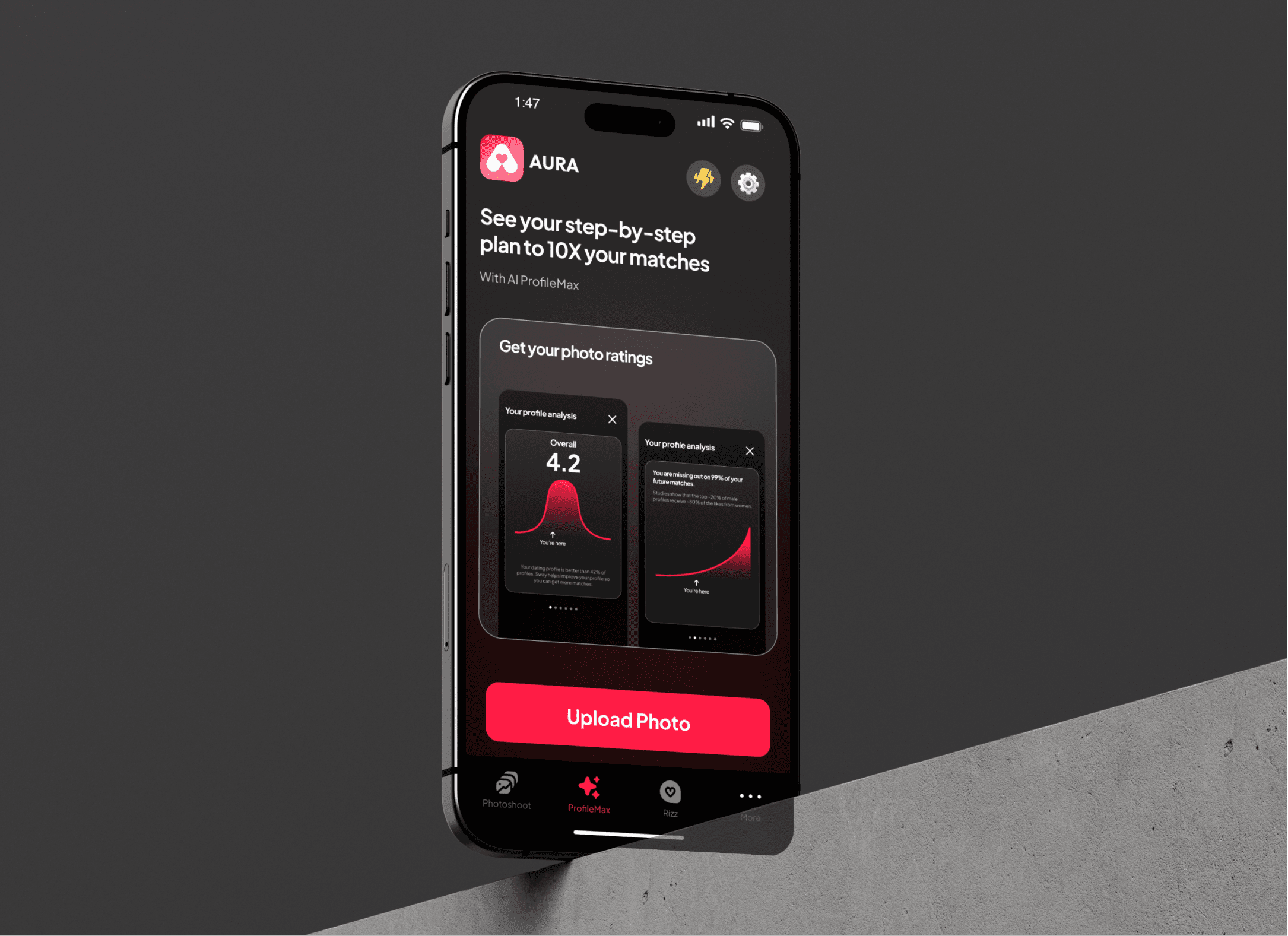
Aura is a mobile app that helps users analyze and optimize their dating profiles using AI. It evaluates photos, bios, and messaging tone to improve overall match potential. The design goal was to create a product that feels both intelligent and empowering, helping users understand how they’re perceived, without judgment.
We led product design and UX architecture, defining the entire flow from onboarding to AI-driven insights and premium conversion.
Problem
The research started with interviews across 20 users from Tinder, Hinge, and Bumble. We wanted to understand where confidence broke down. Three insights emerged quickly:
People had no visibility into what worked. They couldn’t tell why one photo or bio got attention and another didn’t.
Existing “AI rating” tools were clinical. They felt robotic, more like being graded than guided.
Everyone wanted feedback, but not judgment. They wanted AI that could coach them, not score them.
This led to the core design challenge:
“How can we use AI to give feedback that feels empowering, not evaluative?”
Aura’s purpose wasn’t to match people; it was to help them understand what makes them matchable.
Onboarding Strategy and Rationale
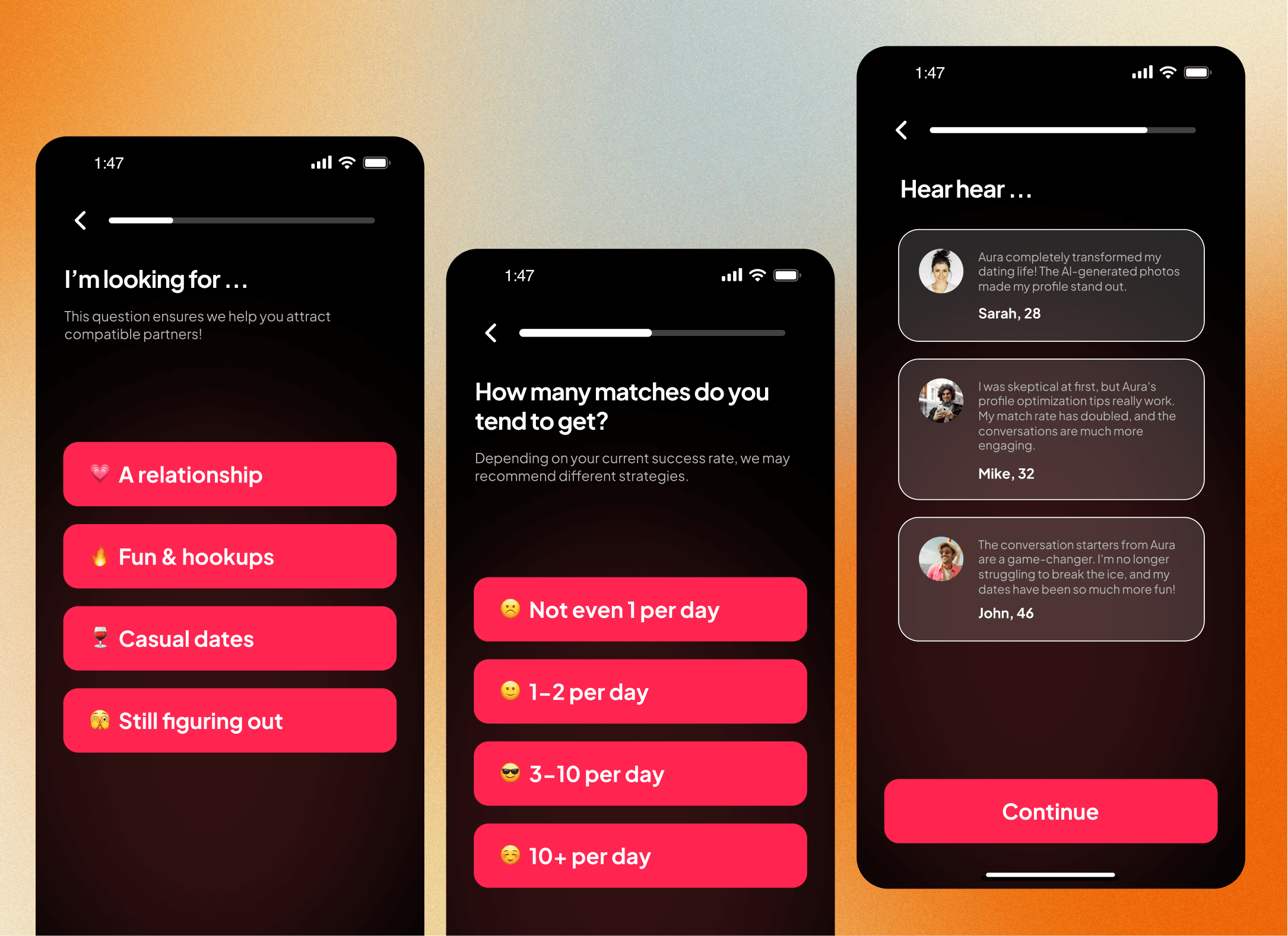
The onboarding in Aura was deliberately designed as a trust-building narrative, not a data form.
Instead of dumping users into feature screens, we built a story-driven setup that gradually transitioned users from curiosity to comfort. Each screen had a role in establishing context and credibility:
Screen 1: “Helping you get more matches.”
A clear, measurable outcome that creates expectation and emotional buy-in.Screen 2: Growth chart animation.
Visualization of progress sets the tone for improvement over judgment.Screen 3–5: Personal context questions (gender, goals, apps).
Designed with progressive disclosure to collect inputs without fatigue.Screen 6: Permission layer.
Reframes data collection as a collaboration: “Help Aura learn how to help you.”
Every microinteraction during onboarding was meant to lower anxiety and trigger user curiosity, a psychological pattern we validated in early tests.
Why this matters technically:
The AI model’s relevance depends on contextual input (e.g., what kind of dating goals or apps the user uses). This means onboarding isn’t just a UX formality; it’s a data-quality mechanism that directly affects AI precision.
By treating onboarding as both a behavioral funnel and an ML data initializer, Aura increased both retention and accuracy downstream.
Design Process
The design started as a set of low-fidelity diagnostic screens, one for each user input: photos, bio, and messages. The flow followed a clear pattern:
Input → AI analysis → Interpretable feedback → Suggested improvement.
Structure & Hierarchy
Each module (ProfileMax, Photoshoot, Rizz) was treated as a standalone skill area within the app. We designed each to feel like a small course—progressive, rewarding, and human.
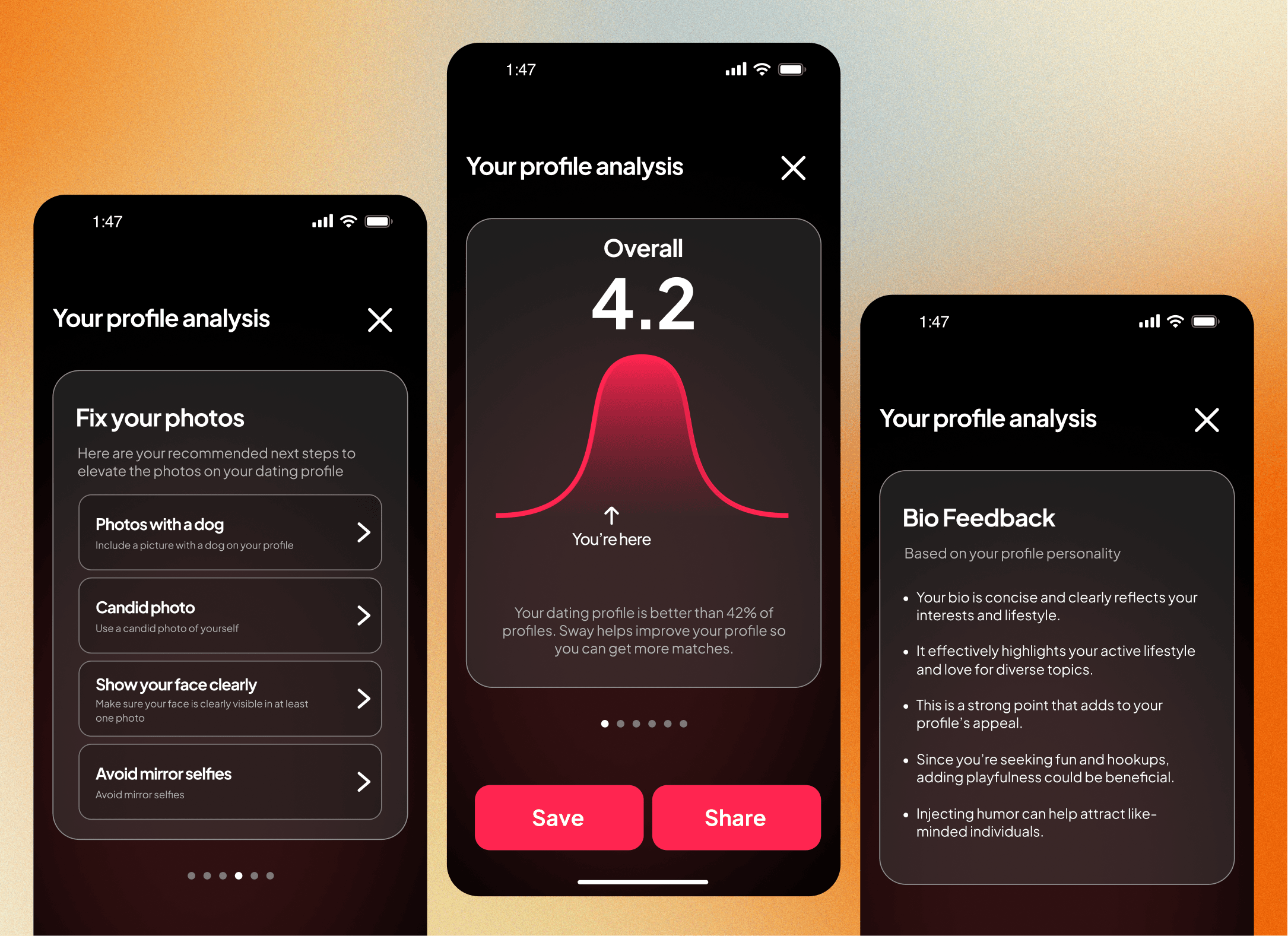
ProfileMax analyzes your dating bio, rewriting it in a tone that aligns with your stated goals (funny, confident, sincere).
Photoshoot uses AI vision to scan lighting, framing, and posture while showing why certain photos work better.
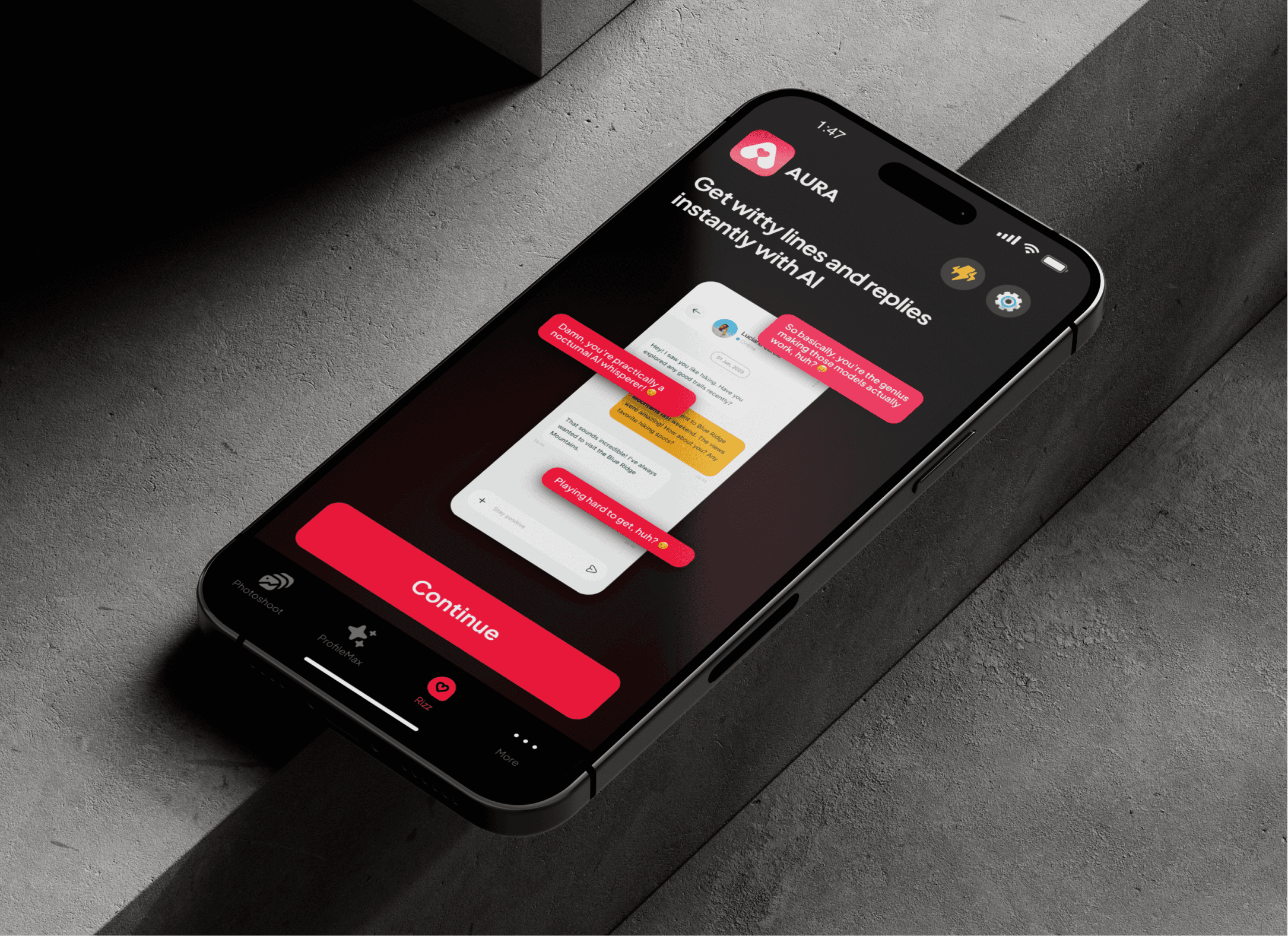
Rizz decodes your chat tone and suggests better openers or responses based on real conversational data.
UX Decisions
Transparency over mystery: Every AI output is paired with a “Why This Works” card, grounding the algorithm in human logic.
Micro-feedback loops: Each improvement cycle takes under 30 seconds, so progress feels immediate.
Tone system: The AI speaks like a friend who’s good at dating—casual, confident, never condescending.
Visual Language
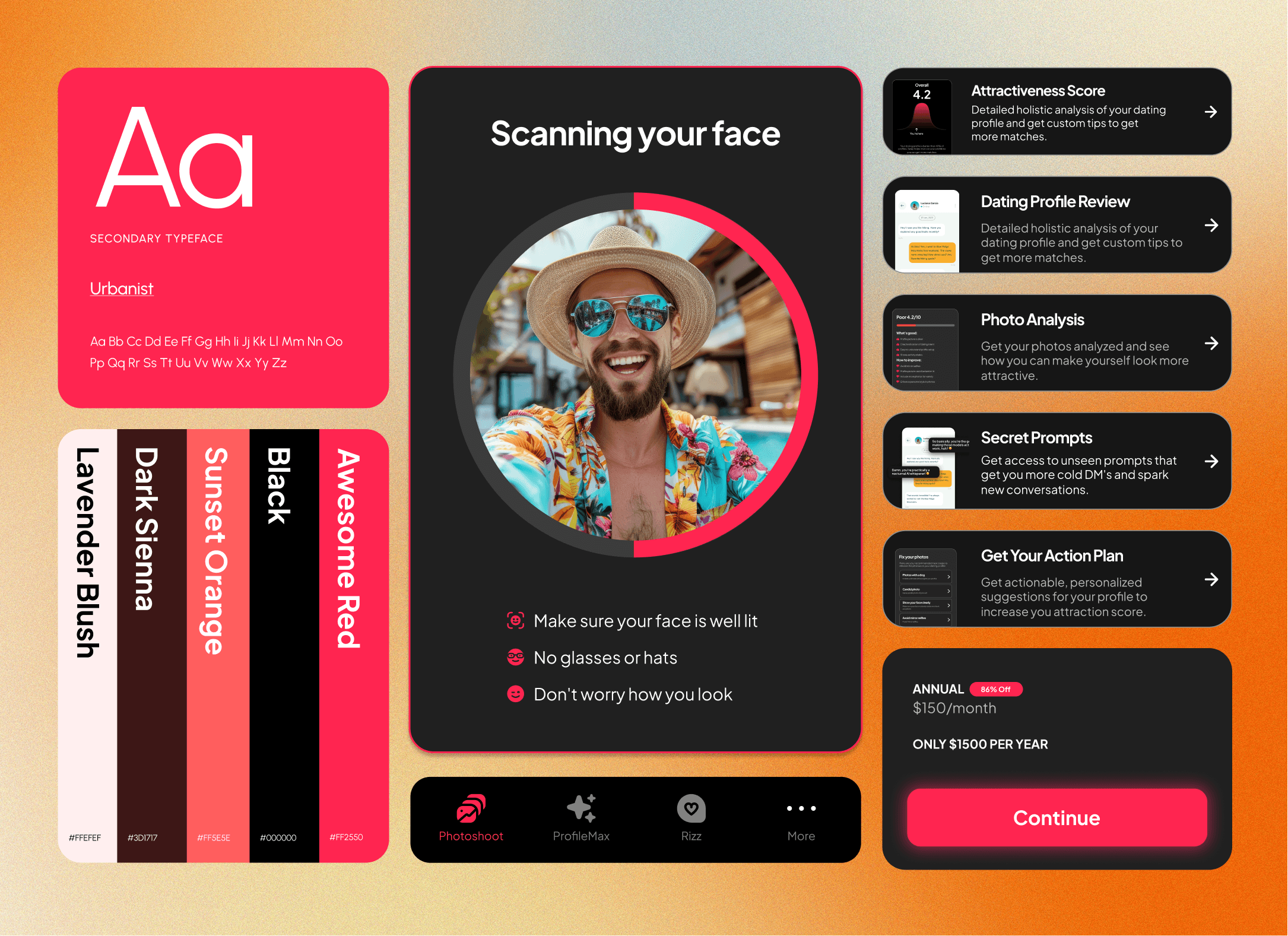
The interface carries a dark, emotional palette—deep purples and reds—evoking intimacy and boldness. Cards, progress rings, and gradient layers add warmth without distraction. Typography is clean, geometric, and human-centered, keeping the app feeling polished but personal.
Wireframing and Structural Design
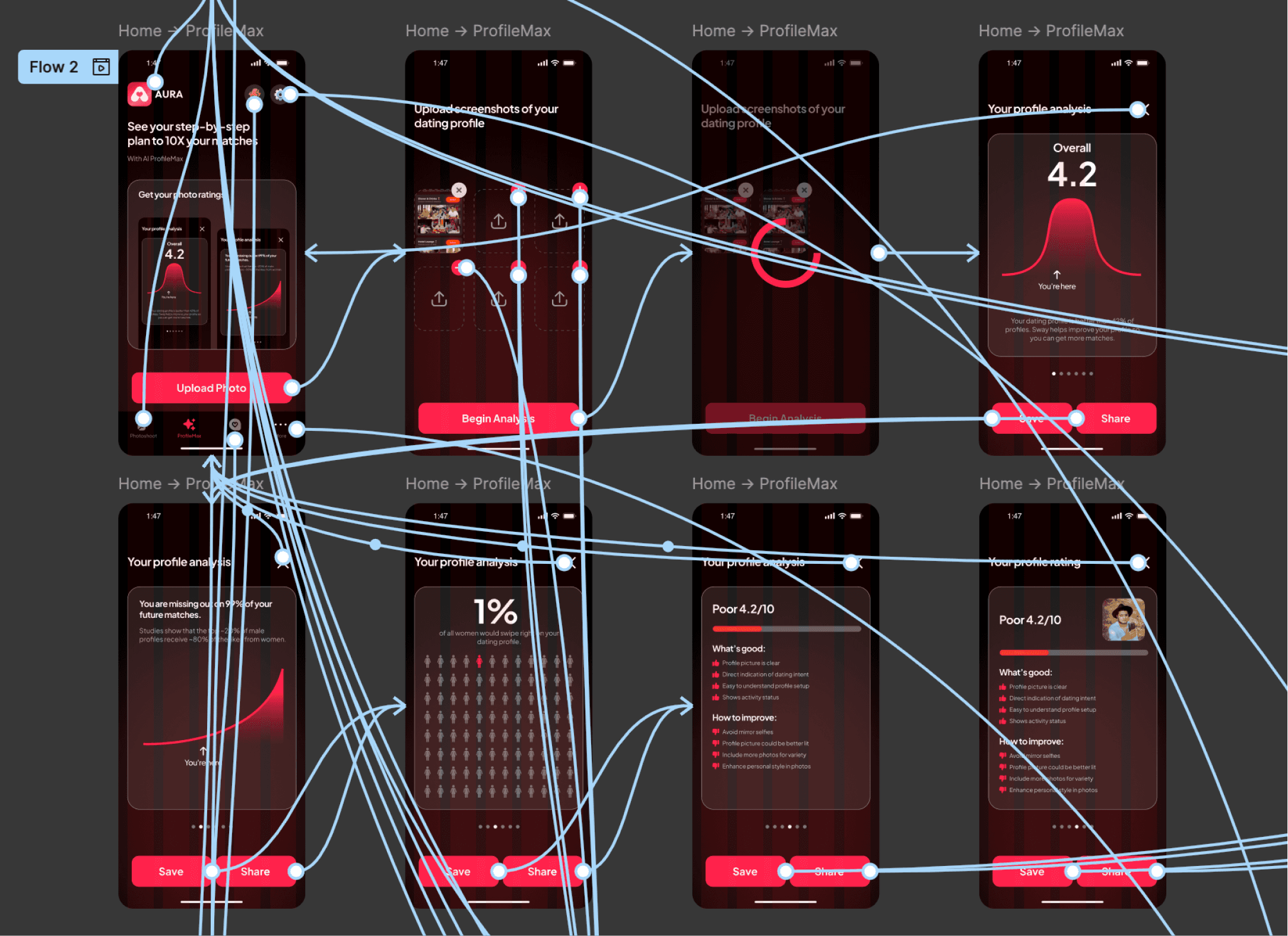
The wireframing phase was where most of Aura’s usability and cognitive logic was validated.
I designed the wireframes in grayscale to eliminate visual bias and focus on flow hierarchy and decision density.
Key Objectives
Minimize cognitive friction:
Each screen supports one action at a time. No nested decisions, no secondary CTAs.Establish a visual rhythm:
Alternating between analysis screens and explanation screens keeps the user emotionally balanced.Show progress early:
Even before results, users see “AI is analyzing your photo,” replacing silence with anticipation.Define scalable structure:
Wireframes were built modularly, allowing future add-ons (e.g., voice analysis or video coaching) without reflowing the architecture.
Testing and Iteration
Conducted 3 usability passes using clickable wireframes.
Adjusted analysis-state timing after observing user impatience beyond 2.8s latency.
Simplified AI result language from “Score 72/100” to “Strong impression” and “Can be improved.”
Used wireframe annotations to tag data dependencies and AI states for developers.
This stage created a systemic blueprint that guided every subsequent layer, visuals, motion, and API logic.
Reflection
Aura taught us that designing with AI isn’t about complexity; it’s about interpretation. The technology can read faces and words, but it’s design that decides how that information feels.
The hardest part was emotional design: making sure the user walks away feeling coached, not corrected. What worked wasn’t the AI’s precision but its human framing. The progress visualization, conversational tone, and transparency in logic made the experience credible.
Ultimately, Aura isn’t a dating app; it’s a mirror that helps people understand themselves in a digital-first dating world. Designing it reaffirmed a principle we now carry into all AI work:
Intelligence means nothing if it can’t make people feel more human.